
What we verified
What we verified
This guide is based on publicly documented cancellation details. It does not claim Kept completed a private account cancellation, and company flows can change after the verification date.
- officialSiriusXM Help: Manage or Cancel Service
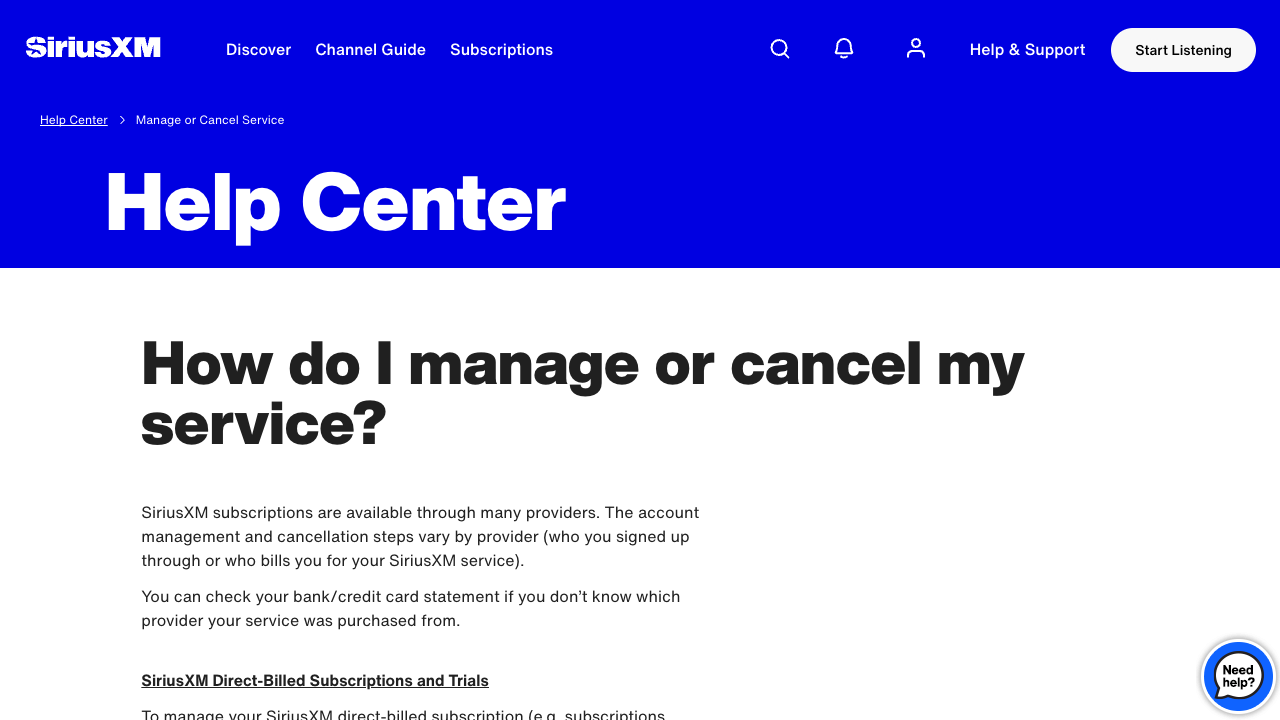
SiriusXM's public help page explaining that cancellation steps vary by billing provider and listing paths for direct-billed, Apple, Google Play, Roku, T-Mobile, and Podcast+ subscriptions.
- officialSiriusXM Customer Agreement
SiriusXM's public agreement, last updated June 5, 2025, explains cancellation timing, refund treatment, how to cancel, app-only streaming subscriptions, external-service billing, and actions that do not cancel a subscription.
- officialSiriusXM Help: FAQs for Refund Policy Changes for Audio Plans
SiriusXM's public refund-policy FAQ for audio plans purchased directly from SiriusXM, including grace-period and prorated-refund guidance.
- officialSiriusXM Contact Us
SiriusXM's public contact page for current support hours and account/radio ID preparation notes.
- officialApple Support: If you want to cancel a subscription from Apple
Apple's public support page for canceling subscriptions bought through Apple, relevant when SiriusXM is Apple-billed.
Cancellation steps
Identify who bills the subscription
Start with the bank or credit-card statement and any SiriusXM renewal email. SiriusXM's help page says management and cancellation steps vary by provider, so first determine whether SiriusXM bills you directly or whether the charge comes from Apple, Google Play, Roku, T-Mobile, an automaker, a dealer, or another external service.
If SiriusXM bills you directly, open the account center
For direct-billed subscriptions and trials, SiriusXM points customers to the Online Account Center and says cancellation can be handled through the Subscriptions tab, online chat, or phone. Capture the account page that shows the subscription, vehicle or radio ID if relevant, plan name, renewal date, and billing provider before you start.
Use the documented contact path if the account center sends you there
SiriusXM's customer agreement says direct-billed audio and infotainment subscriptions may be canceled by phone or online chat, with audio and infotainment listed at 1-866-635-2349 and online chat through the Contact Us page. Ask the agent to confirm the cancellation, effective date, refund result, and which subscription was canceled.
Use self-service only where SiriusXM documents it
SiriusXM's customer agreement says streaming app-only subscriptions purchased through siriusxm.com may be canceled by logging into the online account and following the cancellation instructions. Do not assume every vehicle, satellite radio, trial, or promotional plan has the same self-service path.
Cancel third-party-billed subscriptions with that provider
If the subscription is billed by Apple, Google Play, Roku, T-Mobile, or another external service, SiriusXM says you must manage and cancel directly with that billing provider. Follow the provider's cancellation screen, then keep proof that the SiriusXM subscription or add-on moved out of active status.
Continue until cancellation is explicit
A retention offer, discount, transfer prompt, app uninstall, vehicle sale, or lack of listening is not the same as cancellation. SiriusXM's customer agreement says uninstalling the app, selling or trading in a vehicle, or not using the service does not cancel the subscription. Keep going until you have a final confirmation page, chat transcript, email, or order summary.
Common pitfalls
- The cancellation path depends on who bills the subscription. SiriusXM direct-billed, Apple-billed, Google Play-billed, Roku-billed, T-Mobile-billed, Podcast+, automaker, dealer, and vehicle trial situations can point to different cancellation steps.
- SiriusXM's customer agreement says audio subscriptions generally cancel future charges, with cancellation usually effective at the end of the current billing cycle and no refund for a partial period except as stated or required by law.
- Monthly direct-billed audio plans have a documented seven-day initial grace period for an immediate termination and prorated refund if requested; non-monthly audio plans have a documented 30-day grace period at the start of the subscription or renewal period. Later cancellations are generally effective at the end of the current period.
- Uninstalling the SiriusXM app, selling or trading in a vehicle, or simply not listening does not cancel a subscription under SiriusXM's public customer agreement.
- If you have multiple SiriusXM subscriptions, the customer agreement says canceling one subscription does not automatically cancel the others unless you take action to do so.
What to capture as proof
- The billing provider shown by your statement, app-store subscription page, T-Mobile add-on page, or SiriusXM account page.
- The active SiriusXM subscription details, including plan name, account number, radio ID or ESN/RID if relevant, vehicle association if relevant, renewal date, and current price.
- The Online Account Center Subscriptions tab or equivalent provider subscription screen before cancellation.
- Any screen or agent message that explains whether cancellation is immediate or effective at the end of the current billing cycle.
- Refund or credit language, especially whether the cancellation falls inside SiriusXM's seven-day monthly or 30-day non-monthly audio-plan grace period.
- Retention offers, discount offers, transfer prompts, wait screens, unavailable chat messages, or instructions to call another number.
- The final confirmation page, email, order summary, app-store confirmation, provider confirmation, or support transcript showing the effective cancellation date.
Frequently asked questions
Can I cancel SiriusXM online?
Sometimes. SiriusXM's public help says direct-billed subscriptions can be canceled through the Online Account Center Subscriptions tab, online chat, or phone. Its customer agreement separately says streaming app-only subscriptions bought through siriusxm.com may be canceled by logging into the online account and following the cancellation instructions.
Do I cancel SiriusXM through Apple, Google Play, Roku, or T-Mobile?
If that provider bills the subscription, yes. SiriusXM says third-party-billed subscriptions must be managed and canceled directly with the provider who signed you up or bills you.
Will SiriusXM refund the unused part of my subscription?
For audio subscriptions, SiriusXM's customer agreement says cancellation generally stops future charges and is effective at the end of the current billing cycle, with no partial-period refund except as stated or required by law. It documents an initial seven-day grace period for monthly audio plans and a 30-day grace period for non-monthly audio plans.
Does uninstalling the SiriusXM app cancel my subscription?
No. SiriusXM's customer agreement says uninstalling the app, selling or trading in a vehicle, or not using the service does not cancel the subscription.
What proof should I keep after canceling SiriusXM?
Keep the billing-provider evidence, active subscription page, cancellation path, any chat or phone confirmation, refund or effective-date language, and final confirmation. A local Kept recording can help show the sequence if a later billing dispute depends on what the site or agent showed at the time.
Kept isn't affiliated with or endorsed by SiriusXM. SiriusXM and other names are trademarks of their owners and are used here only to identify the service. This guide is general information based on SiriusXM's public help pages, not legal advice.