
What we verified
What we verified
This guide is based on publicly documented cancellation details. It does not claim Kept completed a private account cancellation, and company flows can change after the verification date.
- officialPlanet Fitness Customer Service and FAQ
Planet Fitness's public FAQ explains membership and billing questions, cancellation paths, location variation, billing cutoff dates, draft-pending status, and the $58 minimum-term buyout fee.
- officialPlanet Fitness Gym Memberships
Planet Fitness's public membership page describes Classic and PF Black Card memberships, annual-fee language, no-commitment language, and where members can make account changes.
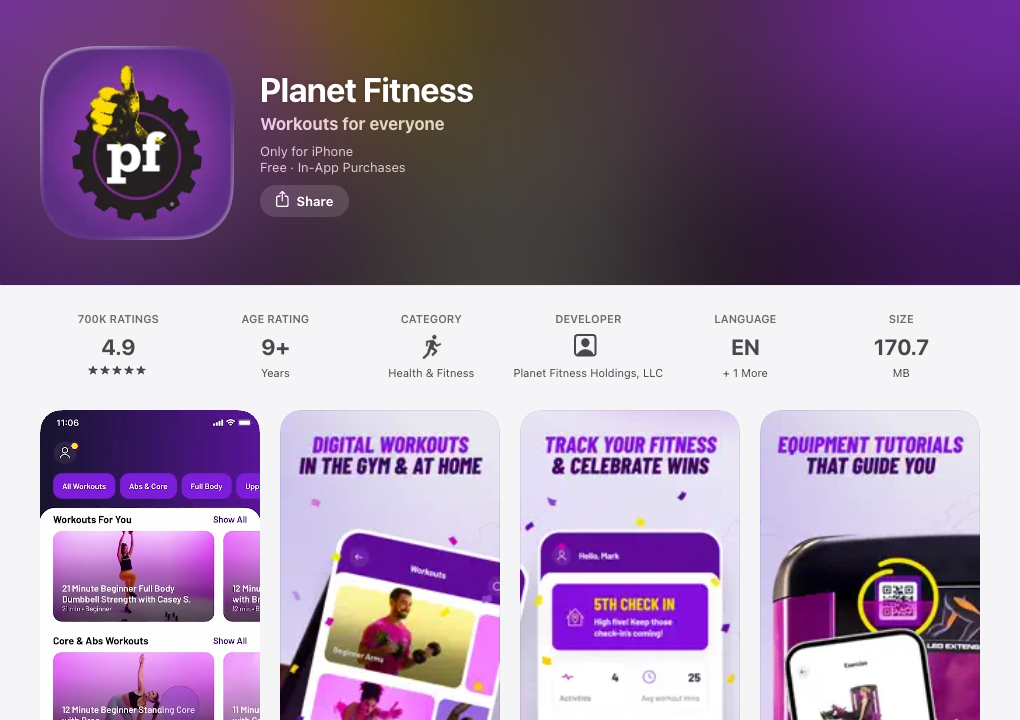
- officialApple App Store: Planet Fitness app
Apple's public App Store listing identifies the Planet Fitness app and developer, and shows the app features members may see when checking account or membership details.
Cancellation steps
Identify your home club and billing dates
Start by finding your home club, membership type, monthly billing date, annual-fee date, and whether the agreement has a minimum term. Planet Fitness's public FAQ says membership questions should go through the home club, and its membership pages say some memberships may include a 12-month commitment and an annual fee.
Choose the documented cancellation path
Planet Fitness says members can request to end a membership by sending written notification by mail to the home club, visiting the home club in person, or logging into the online member portal on the website. Because Planet Fitness also says policies and procedures may vary by location based on state and local guidelines, capture what your account and home club actually show.
If canceling online, use the member portal
Use the member website rather than assuming the mobile app alone is enough. Planet Fitness's FAQ says cancellation can be managed by logging into the account online through the member portal on the website. Its public app materials show the app is tied to membership and account features, but the cancellation path documented in the FAQ is the online member portal.
If canceling in person, get written confirmation
If you go to the home club, ask staff for confirmation that identifies the membership, the request date, the effective date, and whether any final monthly, annual, or buyout charge remains. A verbal statement at the front desk is less useful than a receipt, email, form copy, or account screen showing the changed status.
If canceling by mail, keep delivery proof
Planet Fitness publicly documents written notification by mail to the home club as one cancellation path. Use a trackable mailing method, keep a copy of the signed request, and save delivery confirmation so you can show when the home club received the request.
Watch the billing cutoff dates
Planet Fitness says that to stop monthly billing on the 17th, the club must receive the request to end the membership by the 10th of the month because billing changes may take up to 7 business days. It also says that to stop an annual fee, the request must be received by the club by the 25th of the month before the annual-fee date.
Confirm the final status after the request
After submitting the request, check the online account, email, mailed delivery status, and any home-club response. Keep recording until you have a clear endpoint: canceled status, effective date, final charge result, or written instruction from the club explaining what remains.
Common pitfalls
- Planet Fitness says policies and procedures may vary by location based on state and local guidelines, so do not assume every club or state shows the same online flow.
- A mobile app login, digital Club Pass, or account screen is not cancellation proof by itself. The documented endpoint should show that the membership was ended or that the club received the cancellation request.
- Missing the monthly cutoff can allow another monthly billing cycle. Planet Fitness says the club must receive the request by the 10th to stop billing on the 17th.
- Missing the annual-fee cutoff can leave the annual fee in place. Planet Fitness says the request must be received by the 25th of the month before the annual-fee date.
- A minimum-term membership may carry a buyout fee if ended before the end of the contract term. Planet Fitness's FAQ lists a $58 buyout fee in that situation.
- If your billing status is draft pending, Planet Fitness says a recurring payment is already processing and online or app payments may be unavailable while it is pending. Capture that status if it affects your cancellation timing.
What to capture as proof
- The home club name, address, and contact details shown in your account or membership agreement.
- Your plan name, membership type, monthly billing date, annual-fee date, and any minimum-term or no-commitment language.
- The Planet Fitness FAQ or account page that describes available cancellation paths for your account or region.
- The online member portal screen before you submit the cancellation request, without exposing unnecessary personal data.
- Any mail receipt, tracking number, delivery confirmation, and copy of the written request if canceling by mail.
- Any in-club form, receipt, email, or staff confirmation if canceling in person.
- Any screen or message that mentions the 10th monthly cutoff, 25th annual-fee cutoff, final billing date, buyout fee, outstanding balance, or draft-pending status.
- The final confirmation page, email, mailed response, or account status showing the membership is ended.
Frequently asked questions
Can I cancel Planet Fitness online?
Planet Fitness's public FAQ says one way to end a membership is logging into the account online through the member portal on the website. It also says policies and procedures may vary by location based on state and local guidelines, so document what your account actually shows.
Can I cancel Planet Fitness in the app?
Do not rely on the app unless your account clearly presents and confirms cancellation there. Planet Fitness's FAQ documents the online member portal on the website, mail to the home club, and visiting the home club in person as ways to manage ending a membership.
What is the monthly billing cutoff for Planet Fitness cancellation?
Planet Fitness says that to stop monthly billing on the 17th, the club must receive the request to end the membership by the 10th of the month because billing changes may take up to 7 business days.
How do I avoid the Planet Fitness annual fee after canceling?
Planet Fitness says that to stop the annual fee, the request to end the membership must be received by the club by the 25th of the month before the annual-fee date. Capture your annual-fee date and the date the club received your request.
Does Planet Fitness charge a buyout fee?
Planet Fitness's FAQ says that if a membership has a minimum term and is ended before the end of the contract term, a $58 buyout fee is required. Check whether your agreement is no-commitment or minimum-term before canceling.
What proof should I keep after canceling Planet Fitness?
Keep the home club details, membership terms, billing dates, cancellation request, delivery proof or in-club receipt, any cutoff or fee language, and final confirmation. A local Kept recording can help show the sequence if a later billing dispute depends on what the site, app, or club displayed at the time.
Kept isn't affiliated with or endorsed by Planet Fitness. Planet Fitness and other names are trademarks of their owners and are used here only to identify the service. This guide is general information based on Planet Fitness's public help pages, not legal advice.