What we verified
What we verified
This guide is based on publicly documented cancellation details. It does not claim Kept completed a private account cancellation, and company flows can change after the verification date.
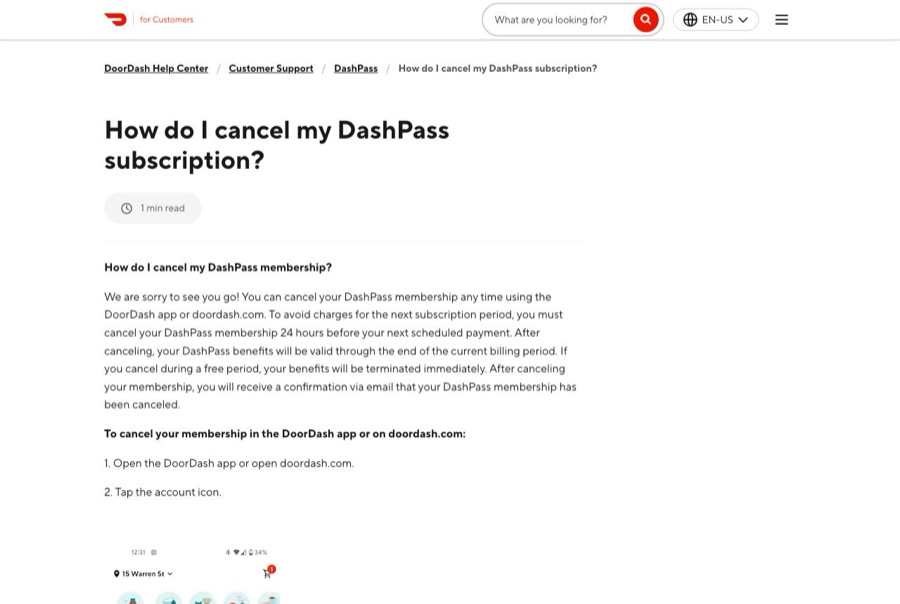
- officialDoorDash Help: How do I cancel my DashPass subscription?
DoorDash's cancel and pause steps in the app and on doordash.com, the 24-hour cutoff before the next payment, benefits through the end of the billing period, immediate termination during a free period, and the confirmation email.
- officialDoorDash Help: What is DashPass?
DashPass pricing ($9.99 a month or $96 a year), free trial eligibility and automatic enrollment after the trial, what happens if you cancel during or after a trial, and checking DashPass charges in Billing History.
- officialDoorDash Help: DashPass and HBO Max partnership FAQs
DoorDash's FAQ for the HBO Max offer included with the DashPass Annual Plan: members who cancel via Manage DashPass stay on the plan until its end date, and can contact DoorDash Support to cancel immediately.
Before you click cancel
Decision points that change the outcome
Are you more than 24 hours from the next payment?
DoorDash only promises to stop the next charge if you cancel at least 24 hours before it.
Capture:Capture the next payment date and the time you canceled.
Trial or paid?
Canceling during a free trial ends benefits immediately; canceling a paid plan keeps them to the end of the period.
Capture:Capture the trial or plan status on Manage DashPass.
Monthly or annual?
Annual plans keep running to their end date after you cancel unless DoorDash Support cancels them immediately.
Capture:Capture the plan type and any end date shown.
Fee risk map
Plan types to identify before canceling
Free trial
Canceling ends benefits immediately and prevents the first charge.
The confirmation and that it came before the trial's billing date.Monthly ($9.99)
Cancel at least 24 hours before the payment date; benefits continue until the end of the month.
The cancel time, confirmation email, and Billing History.Annual ($96)
Canceling in the app stops renewal but keeps you on the plan until its end date. Contact DoorDash Support to ask for an immediate cancellation.
The confirmation, the end date, and any Support chat.DoorDash DashPass dispute packet checklist
If the issue is an early termination fee, a missing cancel option, or a charge after cancellation, this is the evidence set that would make the timeline easier to reconstruct.
- Manage DashPass before canceling, showing plan, price, and next payment date.
- Recording or screenshots of the Cancel Membership flow and success screen.
- The confirmation email and the time you canceled.
- Billing History showing which charges happened before and after canceling.
- Manage DashPass afterward showing the membership ending.
- Support chat transcripts if you asked DoorDash to cancel immediately or refund a charge.
How this guide was built
For DashPass, Kept organized the guide around the 24-hour cutoff and the trial rules, since they decide whether one more charge goes through. We used DoorDash's cancel article for the steps and timing, its What is DashPass article for pricing, trial rules, and Billing History, and its partnership FAQ for annual-plan cancellation terms.
Cancellation steps
Open Manage DashPass on the account that pays
Open the DoorDash app or doordash.com, tap the account icon, and go to Manage DashPass. Check the plan (monthly or annual), the next payment date, and the card on file. Billing History on this page shows every DashPass charge.
Check the 24-hour cutoff
DoorDash says you must cancel at least 24 hours before your next scheduled payment to avoid being charged for the next period. If the payment is less than a day away, cancel now anyway and capture the time.
Tap Cancel Membership, not Pause
Manage DashPass offers both Cancel Membership and Pause Membership. Pausing is not canceling. Tap Cancel Membership.
Pick a reason and confirm Cancel DashPass
DoorDash's published steps: select a reason for canceling and tap Select reason, then select Cancel DashPass. DoorDash then shows that the membership was canceled; select Got it to return to Manage DashPass.
Save the confirmation email
DoorDash says you'll get an email confirming that DashPass was canceled. Keep it with a screenshot of Manage DashPass showing the membership ending.
Know when benefits stop
After canceling, DashPass benefits last through the end of the current billing period. If you cancel during a free trial, DoorDash says benefits end immediately. On an annual plan, DoorDash's terms say you stay on the plan until its end date unless DoorDash Support cancels it immediately.
Common pitfalls
- Canceling less than 24 hours before the next payment can still let that payment go through.
- Pause Membership and Cancel Membership sit on the same page. A pause isn't a cancellation.
- Free-trial cancellations end benefits immediately, so cancel after your last order if you want to use the trial.
- Annual plans keep running to their end date after you cancel in the app. To end one immediately, DoorDash says to contact Support.
- The DashPass Annual Plan can include an HBO Max subscription. Changing or canceling DashPass can affect that HBO Max access, so capture both.
What to capture as proof
- Manage DashPass before canceling, showing the plan, price, next payment date, and account.
- The Billing History list of DashPass charges.
- The Cancel Membership flow: reason, Cancel DashPass, and the success screen.
- The confirmation email and the time you canceled.
- Manage DashPass afterward showing the membership ending.
- Any DashPass charge on your statement after the confirmed end.
Frequently asked questions
How do I cancel DashPass?
In the DoorDash app or on doordash.com, tap the account icon → Manage DashPass → Cancel Membership, choose a reason, then select Cancel DashPass. DoorDash emails a confirmation.
When do I need to cancel DashPass to avoid the next charge?
DoorDash says at least 24 hours before your next scheduled payment.
What happens if I cancel my DashPass free trial?
DoorDash says canceling during a trial ends your benefits immediately. If you cancel after the billing date, you're charged and keep benefits until the end of that cycle.
I see a $9.99 charge I don't recognize. Is it DashPass?
DoorDash says a statement line reading DoorDash DashPass or DashPass is the subscription. You can confirm it under Manage DashPass → Billing History.
Can I cancel an annual DashPass plan immediately?
Canceling in the app keeps you on the plan until its end date. DoorDash's terms say to contact DoorDash Support to cancel immediately.
Kept isn't affiliated with or endorsed by DoorDash DashPass. DoorDash DashPass and other names are trademarks of their owners and are used here only to identify the service. This guide is general information based on DoorDash DashPass's public help pages, not legal advice.