What we verified
What we verified
This guide is based on publicly documented cancellation details. It does not claim Kept completed a private account cancellation, and company flows can change after the verification date.
- officialAmazon Customer Service: Cancel Your Amazon Prime Membership
Amazon's help page for canceling Prime: direct cancel link, refund eligibility for members who haven't used benefits (processed in three to five business days), Prime Video subscriptions continuing after Prime ends, and third-party cancellation (Google Play and other companies).
- officialAmazon Prime Terms & Conditions: Membership Cancellation
Amazon's Prime terms: cancel any time before renewal to avoid the next charge; full refund within 3 business days of signup or trial conversion minus benefits used; otherwise a full refund only if no eligible purchases or Prime benefits were used since the latest charge; third-party signups follow the third party's policy.
- officialAbout Amazon: How to cancel your Prime membership
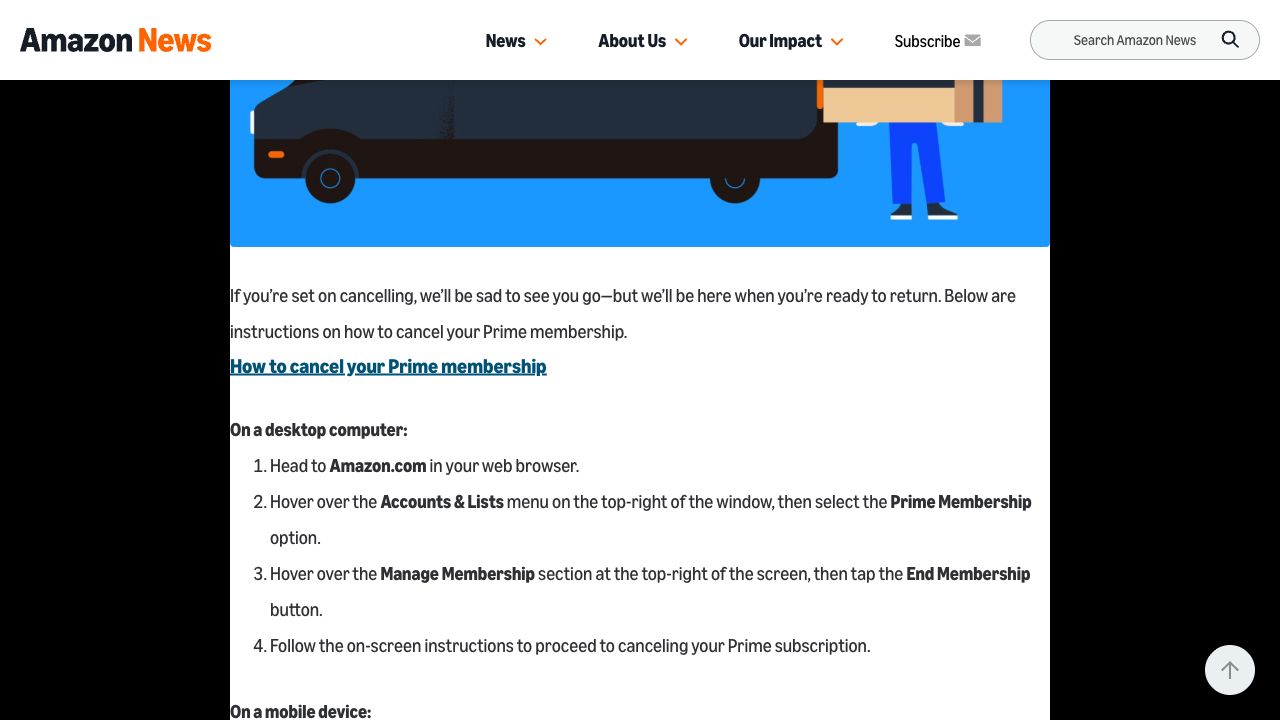
Amazon's step-by-step desktop (Accounts & Lists → Prime Membership → Manage Membership → End Membership) and Amazon Shopping app (Profile → Manage Prime Membership → End Membership) instructions.
- officialFTC: Amazon Refunds
The FTC's page on the 2025 Prime settlement: automatic refunds (no claim needed) for eligible U.S. customers who enrolled through challenged flows or unsuccessfully tried to cancel between June 23, 2019 and June 23, 2025, up to $200, paid by check, PayPal, or Venmo.
- officialFTC press release: $2.5 billion settlement against Amazon
September 25, 2025 announcement requiring Amazon to offer an easy way to cancel Prime using the same method used to sign up, and a clear button to decline Prime.
Before you click cancel
Decision points that change the outcome
Who bills your Prime?
Amazon-billed Prime is canceled in your Amazon account. Prime through Google Play or bundled with another company (for example a phone or internet plan) is canceled with that company under its refund rules.
Capture:Save the Prime Membership page or the third party's subscription screen showing who charges you and how much.
Has anyone used Prime since the last charge?
Outside the first 3 business days, Amazon's terms only promise a full refund if you and your account made no eligible purchases and used no Prime benefits since the latest membership charge.
Capture:Note your last charge date, and capture the refund or no-refund wording Amazon shows when you cancel.
Are you within 3 business days of being charged?
If you just signed up or your free trial just converted to paid, Amazon's terms promise a full refund, though it may deduct the value of benefits used in those days.
Capture:Capture the trial-conversion or signup charge date and the refund amount Amazon displays.
End now or at the end of the period?
Amazon may show more than one way to end the membership. The option you pick determines when benefits stop and whether a refund applies.
Capture:Capture the screen with the options and the one you chose, including any dates and amounts.
Fee risk map
Plan types to identify before canceling
Free trial
Cancel before the trial converts to avoid being charged. If it has just converted, Amazon's 3-business-day full refund rule applies, less the value of benefits used.
The trial end date shown before canceling, and the confirmation that the membership won't convert or was refunded.Monthly or annual Prime, no benefits used since last charge
Amazon's terms say a full refund of the membership fee for the current period.
The refund amount on the cancellation screen and the refund on your statement within about three to five business days.Monthly or annual Prime, benefits used
No full refund is promised. Expect the membership to end, with any refund or access period shown by Amazon at cancellation.
The exact end date and refund wording, so a later renewal charge after that date is clearly an error.Prime through Google Play or another company
Cancel and request refunds with that company; Amazon's refund rules may not apply.
The third party's subscription page, cancellation confirmation, and any refund decision.Amazon Prime dispute packet checklist
If the issue is an early termination fee, a missing cancel option, or a charge after cancellation, this is the evidence set that would make the timeline easier to reconstruct.
- Prime Membership page before canceling, showing plan, price, renewal date, and account.
- Recording or screenshots of every prompt from Manage Membership to the final step.
- The refund, no-refund, or end-date screen Amazon showed.
- Final confirmation page and confirmation email.
- The Prime Membership page after canceling showing the membership ends.
- Any renewal charge on your card statement dated after the confirmed end date, plus support chat transcripts if you contacted Amazon.
How this guide was built
For Amazon Prime, Kept organized the guide around refund eligibility, because that's where most disputes come from. We checked Amazon's cancel help page and Prime Terms & Conditions for the cancellation and refund rules, Amazon's own how-to article for the desktop and app paths, and the FTC's settlement and refund pages so the settlement isn't confused with an ordinary cancellation.
Cancellation steps
Confirm which Amazon subscription you are ending
Prime, Prime Video Channels (like Paramount+), Subscribe & Save, Kindle Unlimited, and Audible are separate subscriptions. Amazon's help page notes that Prime Video channel subscriptions continue after Prime ends, so list everything on Memberships & Subscriptions before you start and cancel each one you no longer want.
Check who bills the membership
Amazon's terms say Prime bought directly from Amazon is canceled with Amazon, but Prime signed up through a third party may need to be canceled with that company. Amazon's help page specifically says Prime bought through Google Play on Android is canceled through Google subscriptions, and Prime tied to another company's service is canceled by contacting that company.
On a computer, start from Prime Membership
Amazon's published steps: go to Amazon.com, hover over Accounts & Lists, select Prime Membership, open Manage Membership, then choose End Membership and follow the on-screen instructions. Amazon's help page also links directly to a Cancel Your Prime Membership page.
In the app, use Profile → Manage Prime Membership
Amazon's published mobile steps: open the Amazon Shopping app, tap the Profile icon, choose Manage Prime Membership, open the Manage Membership menu, tap End Membership, and follow the prompts.
Read the refund and end-date screen before confirming
Amazon may present more than one prompt, including benefit reminders or options to end later. Read which option you are choosing: whether the membership ends now or at the end of the billing period, and whether Amazon shows a refund. That screen is the single most useful piece of proof if the refund is later disputed.
Finish only when Amazon shows a clear final status
Keep going until Amazon shows that the membership is canceled or will end on a specific date. Afterwards, revisit the Prime Membership page and keep the confirmation email. Amazon says eligible refunds are processed in three to five business days.
Common pitfalls
- Closing the tab on a reminder or benefits screen does not cancel Prime. Only a final confirmation or a membership page showing an end date does.
- Prime Video channel subscriptions, Kindle Unlimited, Audible, and Subscribe & Save are not canceled by ending Prime. Amazon's help page says Prime Video subscriptions continue once Prime ends.
- A single eligible purchase or Prime benefit used since the last charge can mean no refund under Amazon's terms. Benefit use counts for you and your account, not just you.
- Prime purchased through Google Play or bundled with another company's service has to be canceled with that company, and its refund policy applies.
- The FTC settlement refund is a separate, automatic payment for specific past customers. It does not cancel an active membership and is not a substitute for Amazon's cancellation flow.
What to capture as proof
- The Prime Membership page showing plan, price, renewal date, and the account you're signed into.
- The Memberships & Subscriptions list, so you can show which other Amazon subscriptions were or weren't part of the cancellation.
- Each prompt between Manage Membership and the final step, especially any screen offering to end now or on a later date.
- The screen showing the refund amount, no-refund language, or the date access ends.
- The final confirmation and the confirmation email, plus the Prime Membership page afterward showing the end date.
- Your next card statement, if a renewal charge appears after the confirmed end date.
Frequently asked questions
How do I cancel Amazon Prime?
On Amazon.com, go to Accounts & Lists → Prime Membership → Manage Membership → End Membership and follow the prompts. In the Amazon Shopping app, tap Profile → Manage Prime Membership → Manage Membership → End Membership.
Will Amazon refund my Prime membership?
Under Amazon's Prime terms you get a full refund if you cancel within 3 business days of signing up or converting from a free trial (minus the value of benefits used), or at any other time if you and your account made no eligible purchases and used no Prime benefits since the latest charge. Amazon says eligible refunds are processed in three to five business days.
Does canceling Prime cancel Prime Video channels like Paramount+?
No. Amazon's help page says subscriptions on Prime Video, like Paramount+, continue once your Prime membership ends. Cancel them separately under Memberships & Subscriptions.
I signed up for Prime through Google Play or my phone carrier. How do I cancel?
Amazon says Prime bought through Google Play is canceled through Google's subscription settings, and Prime associated with another company's service is canceled by contacting that company.
Do I need to file a claim for the FTC Amazon Prime refund?
No. The FTC says eligible customers receive refunds automatically by check, PayPal, or Venmo, and payments must be accepted within 60 days. That refund is separate from canceling an active membership.
Kept isn't affiliated with or endorsed by Amazon Prime. Amazon Prime and other names are trademarks of their owners and are used here only to identify the service. This guide is general information based on Amazon Prime's public help pages, not legal advice.