What we verified
What we verified
This guide is based on publicly documented cancellation details. It does not claim Kept completed a private account cancellation, and company flows can change after the verification date.
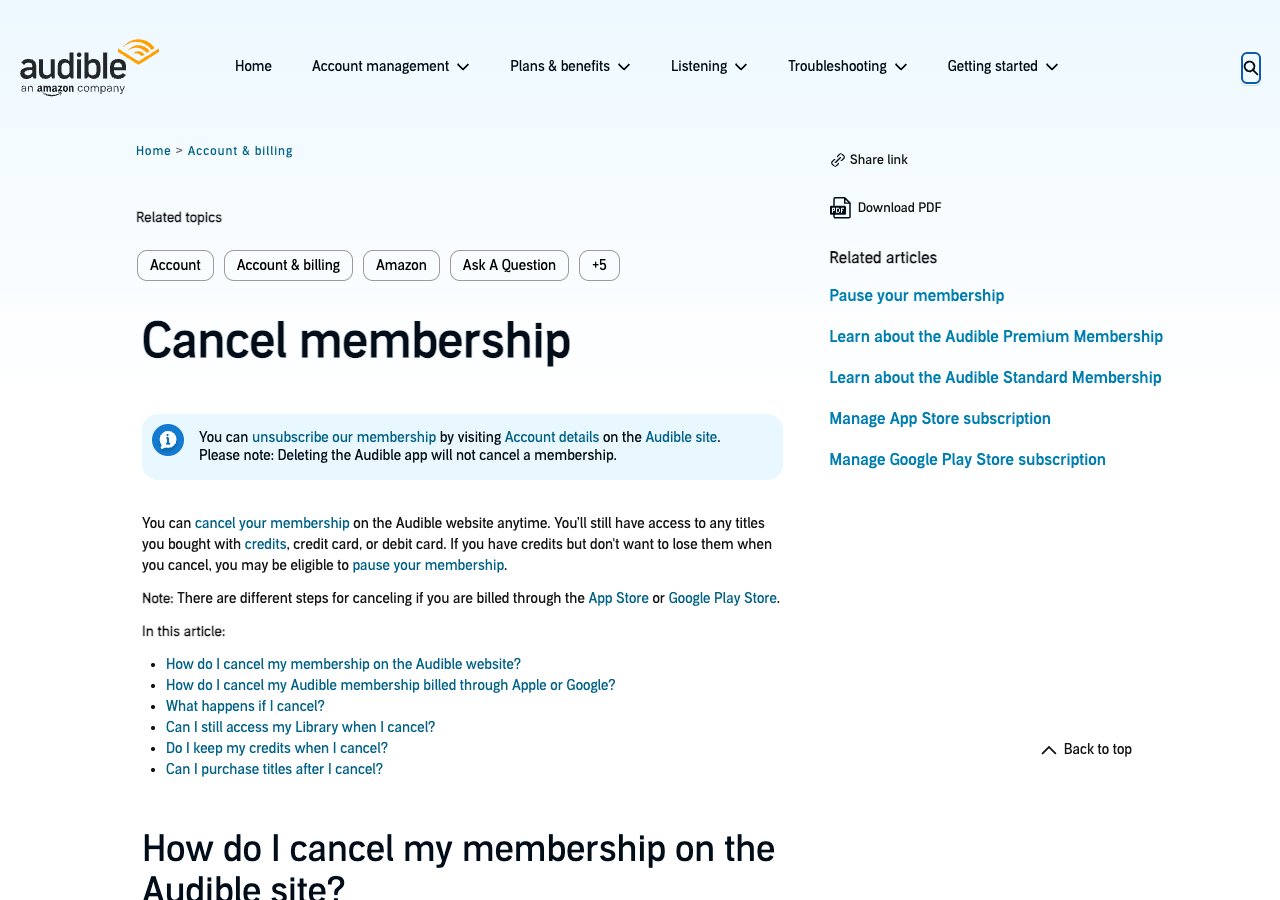
- officialAudible Help: Cancel membership
Audible's desktop and mobile web cancel steps (Membership details → Cancel membership → Confirm cancellation), email confirmation, Apple and Google billing exceptions, loss of unused credits at the end of the final billing cycle, locked included titles, and purchased titles remaining in the library.
- officialAudible Help: Pause your membership
Pause rules: 30, 60, or 90 days, up to 90 days total and three times per 12 months; not available on annual plans; requires 30 days of paid membership; payments pause and existing credits stay usable; canceling during a pause means no further billing.
Before you click cancel
Decision points that change the outcome
Who bills you: Audible, Apple, or Google?
Only Audible-billed memberships can be canceled on the Audible site. Apple and Google-billed ones are canceled in the store, and their credits don't expire on cancellation.
Capture:Membership details or the store subscription page showing the billing source.
Do you have unused credits?
For Audible-billed Premium memberships, unused credits disappear at the end of the final billing cycle.
Capture:Your credit balance before canceling, and the titles you redeemed them on.
Monthly or annual plan?
Monthly plans can be paused instead of canceled; annual plans can't.
Capture:The plan name and billing frequency on Membership details.
Fee risk map
Plan types to identify before canceling
Free trial
Cancel before the trial ends to avoid the first charge. Premium trial members can also pause the trial for 30 days.
Trial end date and the cancel confirmation dated before it.Monthly Premium, billed by Audible
Benefits run to the end of the billing period, then unused credits are lost.
Credit balance, cancel confirmation, and the end-of-period date.Annual Premium
Can't be paused. Cancel to stop renewal; credit rules are the same as monthly.
Plan type, renewal date, and cancel confirmation well before renewal.Billed through Apple or Google
Cancel in the store. Credits from these memberships don't expire on cancellation.
Store subscription page showing canceled status and expiration date.Audible dispute packet checklist
If the issue is an early termination fee, a missing cancel option, or a charge after cancellation, this is the evidence set that would make the timeline easier to reconstruct.
- Membership details before canceling: plan, price, billing date, credit balance.
- Recording or screenshots of the cancel flow through Confirm cancellation.
- Membership details afterward showing canceled status.
- Audible's confirmation email.
- Store subscription page if billed by Apple or Google.
- Any later charge on your statement and your support chat transcript, if you contacted Audible.
How this guide was built
For Audible, Kept built the guide around credits, since losing them is the main cost of canceling. We used Audible's Cancel membership and Pause your membership help articles for the cancel path, billing exceptions, credit rules, and pause limits.
Cancellation steps
Check who bills your membership
Audible says memberships billed through Apple or Google can't be canceled on the Audible site; they have to be canceled in the App Store or Google Play Store subscription settings. If Audible bills you directly, continue on the Audible website. Deleting the Audible app does not cancel anything.
Use or record your credits first
Audible says Premium members lose all unused credits at the end of the final billing cycle (credits from App Store or Google Play memberships are the exception and don't expire). Spend credits you want to keep, then capture your remaining balance before canceling.
Decide whether pausing is enough
Monthly members can pause for 30, 60, or 90 days, up to 90 days total in 12 months, keeping existing credits and stopping payments. Annual plans can't be paused, and you have to have at least 30 days of paid membership first. After the pause, the plan auto-renews unless you cancel.
On a computer: Membership details → Cancel membership
On the Audible site, select your name in the top navigation, choose Membership details, select Cancel membership, then select Confirm cancellation. If you don't see the cancel link, Audible says to check that you're signed in to the account that has the active membership, or try another email address.
On a phone browser: main menu → your name → Membership details
On the mobile website, open the main menu, select your name, choose Membership details, select Cancel membership, then Confirm cancellation. Audible may show offers before the final confirmation; keep going until you reach Confirm cancellation.
Wait for the email and the status change
Audible says you'll get an email confirmation and your Membership details page will show the change. Keep both. Your benefits, including access to the included catalog, continue until the end of the current billing period.
Common pitfalls
- Deleting the Audible app does not cancel your membership. Audible says so on its cancel page.
- Unused credits on an Audible-billed Premium membership are lost at the end of the final billing cycle. Spend them before then if you want the titles.
- Included-catalog titles you downloaded become locked after you cancel. Only titles bought with credits or cash remain yours.
- Apple and Google-billed memberships can't be canceled on Audible's site; the cancel link may not appear there at all.
- If you have more than one Amazon or Audible login, the cancel option only shows on the account that holds the active membership.
What to capture as proof
- Membership details showing your plan, price, next billing date, and credit balance before you cancel.
- Any offer, discount, or pause prompt shown between Cancel membership and Confirm cancellation.
- The final confirmation screen, and Membership details afterward showing the membership is canceled.
- The Audible cancellation confirmation email.
- For App Store or Google Play billing, the store's subscription page showing the canceled status and the date access ends.
- Any charge on your statement after the end of the final billing period.
Frequently asked questions
How do I cancel Audible?
On the Audible website, select your name, then Membership details, Cancel membership, and Confirm cancellation. If Apple or Google bills you, cancel in the App Store or Google Play subscription settings instead.
Do I lose my credits if I cancel Audible?
For memberships billed by Audible, yes. Audible says unused credits are lost at the end of your final billing cycle. Credits from App Store or Google Play memberships don't expire on cancellation. Titles you already bought with credits are yours to keep.
Can I pause Audible instead of canceling?
Monthly members with at least 30 days of paid membership can pause for 30, 60, or 90 days, up to 90 days total in 12 months. Payments pause and existing credits stay usable. Annual plans can't be paused.
Does deleting the Audible app cancel my membership?
No. Audible says deleting the app does not cancel a membership. You have to cancel under Membership details on the website, or in the App Store or Google Play if they bill you.
How do I know my Audible cancellation worked?
Audible says you'll receive an email confirmation and your Membership details page will show the change. Keep both, along with a recording of the cancel flow.
Kept isn't affiliated with or endorsed by Audible. Audible and other names are trademarks of their owners and are used here only to identify the service. This guide is general information based on Audible's public help pages, not legal advice.