
What we verified
What we verified
This guide is based on publicly documented cancellation details. It does not claim Kept completed a private account cancellation, and company flows can change after the verification date.
- officialHBO Max Help: How do I cancel HBO Max?
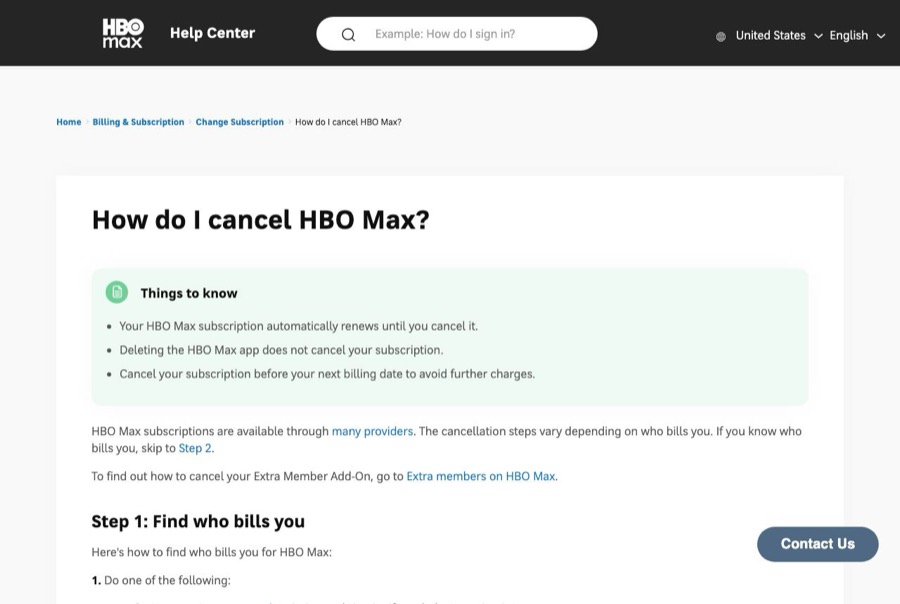
HBO Max's things to know (automatic renewal, deleting the app doesn't cancel), how to find who bills you, direct cancellation at HBOMax.com/subscription, the list of app-store, device, and provider billers, streaming until expiration, and the Extra Member Add-On prorated refund.
- officialHBO Max Help: Can I get a refund?
HBO Max's refund page: refund policies vary by billing provider, no refunds for subscriptions billed directly by HBO Max, links to Apple, Google Play, Amazon, and Roku refund policies, and the Extra Member Add-On prorated refund.
Before you click cancel
Decision points that change the outcome
Who bills you?
HBO Max is sold through app stores, devices, and many TV, internet, phone, and delivery providers. Only HBO Max-billed subscriptions are canceled at HBOMax.com/subscription.
Capture:Capture the Subscription screen showing the biller.
Is it bundled with something else?
HBO Max through DashPass, Hulu, or a provider bundle is tied to that other subscription, and canceling one may change the other.
Capture:Capture both subscriptions' status before and after.
How close is the next billing date?
HBO Max doesn't refund subscriptions it bills directly, so canceling after renewal still means paying for that period.
Capture:Capture the renewal date shown before you cancel.
Fee risk map
Plan types to identify before canceling
Billed directly by HBO Max
No refund under HBO Max's policy. You keep streaming until the expiration date and aren't billed again.
The cancel confirmation and the expiration date.Billed by Apple, Google Play, Amazon, or Roku
Cancel with the platform; any refund follows that platform's policy.
The platform's subscription page showing HBO Max canceled or auto-renew off.Billed by a TV, internet, phone, or delivery provider
Cancel through that provider; their terms decide refunds and timing.
The provider's account page showing HBO Max removed, and any chat transcript.Extra Member Add-On
Cancels when the base plan expires, with a prorated refund for the add-on's remaining days.
The add-on line before canceling and the prorated refund.HBO Max dispute packet checklist
If the issue is an early termination fee, a missing cancel option, or a charge after cancellation, this is the evidence set that would make the timeline easier to reconstruct.
- The Subscription screen showing plan, price, renewal date, and who bills you.
- Recording or screenshots of every step to the final confirmation.
- The expiration date shown after canceling and the confirmation email.
- For third-party billing, the provider's subscription page showing HBO Max canceled.
- Any HBO Max charge dated after the expiration date.
- Support chat transcripts with HBO Max or the provider.
How this guide was built
For HBO Max, Kept organized the guide around who bills you, since HBO Max is sold through more than a dozen providers. We used HBO Max's cancel article for the biller lookup and direct cancellation steps, and its refund article for the no-refund policy and the Extra Member Add-On exception.
Cancellation steps
Find out who bills you
HBO Max's published first step: go to HBOMax.com/subscription and sign in, or in the HBO Max app choose your profile → Subscription (on a TV, the Settings icon → Subscription). The biller is shown at the top. HBO Max is sold through many providers, and the cancel steps depend on which one bills you.
Billed by HBO Max: cancel at HBOMax.com/subscription
Go to HBOMax.com/subscription, sign in, choose Cancel Your Subscription, and confirm. HBO Max tells you to take note of your expiration date; you can keep streaming until then.
Billed by an app store or device: cancel there
Apple: Settings → your name → Subscriptions → HBO Max → Cancel Subscription. Google Play: profile icon → Payments & subscriptions → Subscriptions → HBO Max → Cancel subscription. Roku: my.roku.com/subscriptions → HBO Max → Manage subscription → turn off auto-renew. Amazon Prime Video Channels: Manage Your Prime Video Channels → HBO Max → Cancel Channel.
Billed by a TV, internet, or phone provider: cancel with them
HBO Max lists providers including AT&T, Cox, DIRECTV, Optimum, Spectrum, Verizon, Xfinity, Sling TV, YouTube TV, Hulu, and DoorDash. For YouTube TV, sign in at tv.youtube.com → profile → Settings → Membership and choose Cancel next to HBO Max. For the others, use the provider's account or support.
Handle the Extra Member Add-On
HBO Max says an Extra Member Add-On cancels when your base plan expires, with a prorated refund for the add-on's remaining days. Capture the add-on line and the refund if one shows.
Confirm the expiration date
After canceling, reopen HBOMax.com/subscription (or the biller's subscription page) and capture the status showing the subscription ends on a specific date. Keep the confirmation email.
Common pitfalls
- Deleting the HBO Max app doesn't cancel your subscription. HBO Max says it renews automatically until you cancel.
- HBO Max has a no-refund policy for subscriptions it bills directly. Cancel before the next billing date to avoid the next charge.
- If a provider like your cable company, phone carrier, YouTube TV, or DoorDash bills you, HBO Max can't cancel it for you. Cancel with that provider.
- HBO Max included with DashPass or a bundle is tied to the other subscription. Changing one can change or end the other, so capture both.
- Roku's version of canceling is turning off auto-renew. Capture the Roku subscriptions page showing auto-renew off and the end date.
What to capture as proof
- The HBOMax.com/subscription page or app Subscription screen showing your plan, price, renewal date, and who bills you.
- Each screen from Cancel Your Subscription to the confirmation, including any offer you declined.
- The expiration date HBO Max shows after you cancel.
- The confirmation email.
- If a third party bills you, their subscription screen showing HBO Max canceled or auto-renew off.
- Any HBO Max charge on your statement dated after the expiration date.
Frequently asked questions
How do I cancel HBO Max?
Go to HBOMax.com/subscription and sign in. If HBO Max bills you, choose Cancel Your Subscription and confirm. If a different company bills you, the page shows which one, and you cancel with them.
Does HBO Max give refunds?
HBO Max says there is a no-refund policy for subscriptions it bills directly. App stores and providers follow their own refund rules. The Extra Member Add-On gets a prorated refund for its remaining days.
Does deleting the HBO Max app cancel my subscription?
No. HBO Max says your subscription renews automatically until you cancel it, and deleting the app doesn't cancel.
How do I cancel HBO Max on Roku?
Go to my.roku.com/subscriptions, find HBO Max under Active Subscriptions, choose Manage subscription, and turn off auto-renew.
How do I cancel HBO Max through YouTube TV?
Sign in at tv.youtube.com, choose your profile → Settings → Membership, and choose Cancel next to HBO Max.
Kept isn't affiliated with or endorsed by HBO Max. HBO Max and other names are trademarks of their owners and are used here only to identify the service. This guide is general information based on HBO Max's public help pages, not legal advice.