
What we verified
What we verified
This guide is based on publicly documented cancellation details. It does not claim Kept completed a private account cancellation, and company flows can change after the verification date.
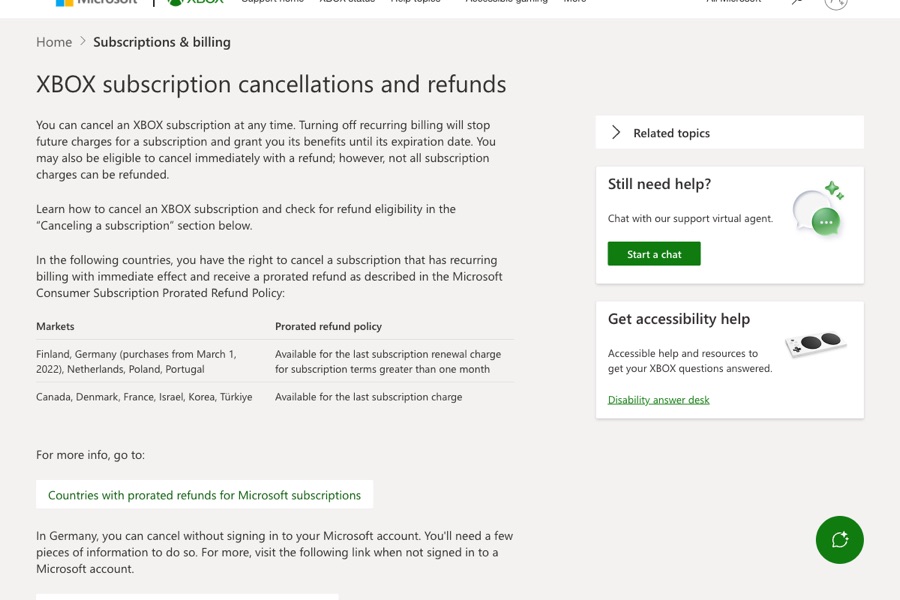
- officialXbox Support: Xbox subscription cancellations and refunds
Xbox's web and console cancel steps, recurring billing off until expiration, the 30-day refund rules and one-time limit, prepaid codes, Turn on recurring billing meaning, family and shared payment charges, third-party billing, and 30 days' notice of price changes.
Before you click cancel
Decision points that change the outcome
Within 30 days of a charge?
Xbox offers a refund within 30 days of initial purchase or a one-time refund of the latest recurring charge within 30 days.
Capture:Capture the charge date and the refund option shown.
Which Microsoft account?
Only the account that bought it can cancel.
Capture:Capture the signed-in account on the Subscriptions page.
Manage or Turn on recurring billing?
Turn on recurring billing means it's already set to expire.
Capture:Capture that page with the expiration date.
Fee risk map
Plan types to identify before canceling
New subscription, within 30 days
Xbox says you can get a refund within 30 days of initial purchase or before the first recurring billing date, whichever is sooner.
The purchase date and the cancel-with-refund confirmation.Renewal charged in the last 30 days
A one-time refund of the most recent recurring charge, once per account per product.
The charge date and refund confirmation.Outside the windows
Turning off recurring billing stops future charges; benefits run to the expiration date.
The expiration date on the Subscriptions page.Xbox Game Pass dispute packet checklist
If the issue is an early termination fee, a missing cancel option, or a charge after cancellation, this is the evidence set that would make the timeline easier to reconstruct.
- The Subscriptions page before canceling with account, plan, and renewal date.
- Screenshots of Cancel subscription, including any refund option.
- The Subscriptions page afterward showing the expiration date.
- Any refund confirmation from Microsoft.
- The statement line for any later Xbox charge.
- Xbox support chat transcripts.
How this guide was built
For Xbox Game Pass, Kept focused on Xbox's specific 30-day refund rules and on which Microsoft account is billed. We used Xbox's Xbox subscription cancellations and refunds support article for the steps, refund policy, and troubleshooting.
Cancellation steps
Sign in with the account that bought it
Xbox says to go to Subscriptions on your Microsoft account and sign in with the Microsoft account you used to purchase the subscription. It's important to use that account.
Find the subscription and select Manage
If you see Turn on recurring billing instead of Manage, Xbox says the subscription is already set to expire on the date shown and you won't be charged after that.
Select Cancel subscription
Follow the instructions. If you're eligible for a refund, Xbox says you'll have the option to cancel immediately with a refund.
Or cancel on console
Press the Xbox button, go to Profile & system → Settings → Account → Subscriptions, choose the subscription, and select Cancel subscription. If eligible, you may be prompted to start a refund.
Check other accounts on the same card
Xbox says an unexpected charge may come from another Microsoft account using your payment option, such as someone in your Xbox family group. Each account's owner has to cancel their own.
Common pitfalls
- Canceling on the wrong Microsoft account does nothing to the subscription that's charging you.
- The 30-day recurring-charge refund is limited to once per Microsoft account per Xbox subscription product.
- Refund requests outside Xbox's cancellation processes aren't eligible, according to Xbox.
- Prepaid retail codes follow the retailer's return policy, not Xbox's.
- If a third party bills you, Xbox says to contact them about cancellation and refunds.
What to capture as proof
- The Subscriptions page showing the subscription, price, renewal date, and signed-in Microsoft account.
- The Cancel subscription screens, including whether a refund option was offered.
- The Subscriptions page afterward showing the expiration date or Turn on recurring billing.
- Any refund confirmation.
- For unexpected charges, the other accounts that use the same card.
Frequently asked questions
How do I cancel Xbox Game Pass?
Go to Subscriptions on your Microsoft account, sign in with the account that bought it, select Manage next to Game Pass, then Cancel subscription. On console: Profile & system → Settings → Account → Subscriptions.
Can I get a refund for Xbox Game Pass?
Xbox says you can get a refund within 30 days of initial purchase or before the first recurring billing date, whichever is sooner. You can also get a one-time refund of your most recent recurring charge if you cancel within 30 days after payment.
Why don't I see a cancel option for Game Pass?
If you see Turn on recurring billing instead of Manage, Xbox says the subscription is already set to expire and you won't be charged after that date.
Why am I still being charged for Xbox?
Xbox says your card may be used by another Microsoft account, such as someone in your Xbox family group. Check each account's subscriptions.
Kept isn't affiliated with or endorsed by Xbox Game Pass. Xbox Game Pass and other names are trademarks of their owners and are used here only to identify the service. This guide is general information based on Xbox Game Pass's public help pages, not legal advice.